.png)
A child sits in the orthodontic chair, shoulders raised, while a parent wonders whether the scan will feel like the old-fashioned impression trays. The questions usually come quickly: Will the wand trigger a gag reflex? Does the scan hurt? How long will a nervous child need to hold still?
At Stellar Orthodontics, families can prepare for those questions before the first scan begins. The right iTero scanning tips aren't only about the clinician's hand position. They're also about a clean mouth, steady breathing, realistic expectations, and giving children a simple job to do.
Table of Contents
- What an iTero scan is and why your child is getting one
- Before the appointment, a simple checklist for parents
- What happens during the scan and how long it takes
- Helping kids and teens cooperate in the chair
- Common scan issues and how to troubleshoot them
- Comfort choices that protect scan quality
- Putting it all together for a stress-free visit
What an iTero scan is and why your child is getting one
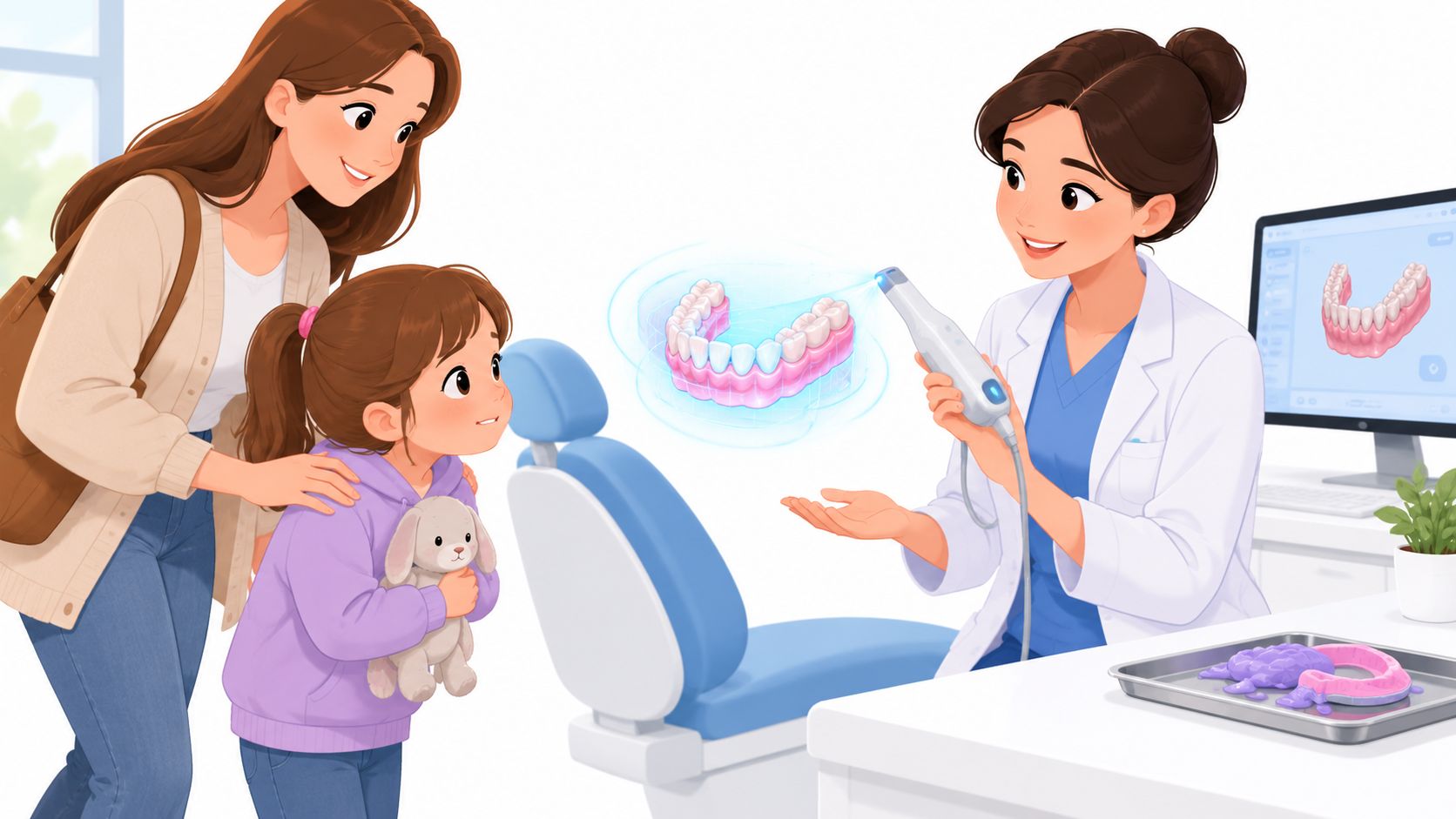
A nervous child may enter the scan room expecting trays filled with sticky material. Instead, the orthodontic team uses a handheld wand to capture the teeth and gums and build a three-dimensional digital model on a nearby screen. The process uses light rather than radiation, so parents don't need to treat it like an X-ray appointment.
The wand moves over the biting surfaces and sides of the teeth while the software assembles the images. There's no gooey putty pressing against the palate, and the child can usually breathe and swallow more naturally than during a conventional impression. A clinician can also show the family the developing model, which turns an unfamiliar step into something visible and understandable.
Practical rule: A child cooperates more easily when the scan is described as a short video of the teeth, not as a procedure that requires bravery.
The technology has been part of digital dentistry for years. iTero's digital impression system arrived in early 2007 after about five years of research and beta testing, and it could capture a full arch by 2008. Align Technology acquired Cadent in 2011 and integrated iTero into its Invisalign data workflow. By 2015, Align reported that more than one million scans had been submitted with the iTero Element scanner since launch, while later models continued to focus on faster capture, visualization, and chairside efficiency. (Read the iTero development timeline)
For Delaware families, the scan can support planning for braces or Invisalign by creating a digital record of the bite. It can also help the orthodontic team discuss treatment visually, rather than relying only on verbal descriptions. Families comparing the role and cost of digital records can review this guide to 3D dental scans.
Before the appointment, a simple checklist for parents
A smooth scan often starts before the family reaches the office. Parents don't need to change a child's entire routine, but a few small choices can reduce distractions, moisture, and discomfort.
Eat normally, then clean carefully
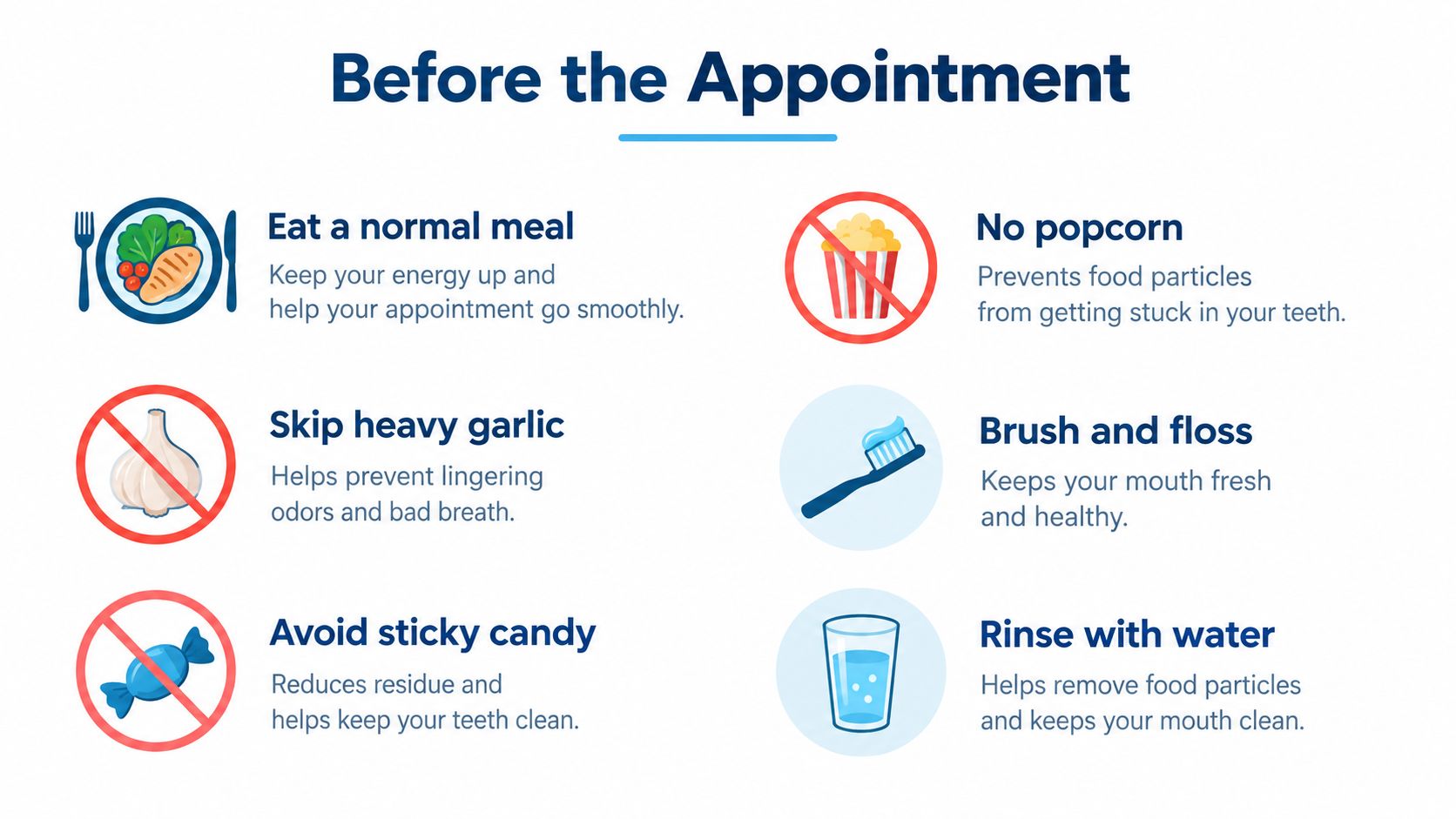
A normal meal is fine. Heavy garlic can leave a strong taste, sticky candy can cling to tooth surfaces, and popcorn hulls can lodge between teeth. Those foods aren't forbidden, but skipping them before the appointment makes the mouth easier to inspect and keeps the child more comfortable.
Use this simple routine:
- Brush for two minutes: Clean tooth surfaces give the scanner a clearer field.
- Floss between teeth: Remove food that could appear as a confusing gap or require a pause.
- Rinse with water: Water clears loose residue without adding a strongly flavored product.
- Pack a travel kit: A toothbrush, floss, and water can help with a quick freshen-up in the parking lot.
Apply a thin layer of lip balm in the morning, rather than immediately before the scan. Comfortable lips can make it easier for the clinician to position the cheeks and capture the gumline. Lip gloss, orthodontic wax, and chewing gum are better left at home because they can smear surfaces or interfere with access.
Bring comfort, records, and a little extra time
Parents should bring the insurance card and any retainer or previous aligners if the child is transferring care. A phone with a calming playlist or audiobook can give an older child something familiar to focus on, provided the office allows it.
Arriving five minutes early gives the child time to use the restroom, drink water, and settle without rushing from the car. Families can also review Stellar Orthodontics' first-visit information before arriving so the child knows the appointment is designed for questions as well as records.
What happens during the scan and how long it takes
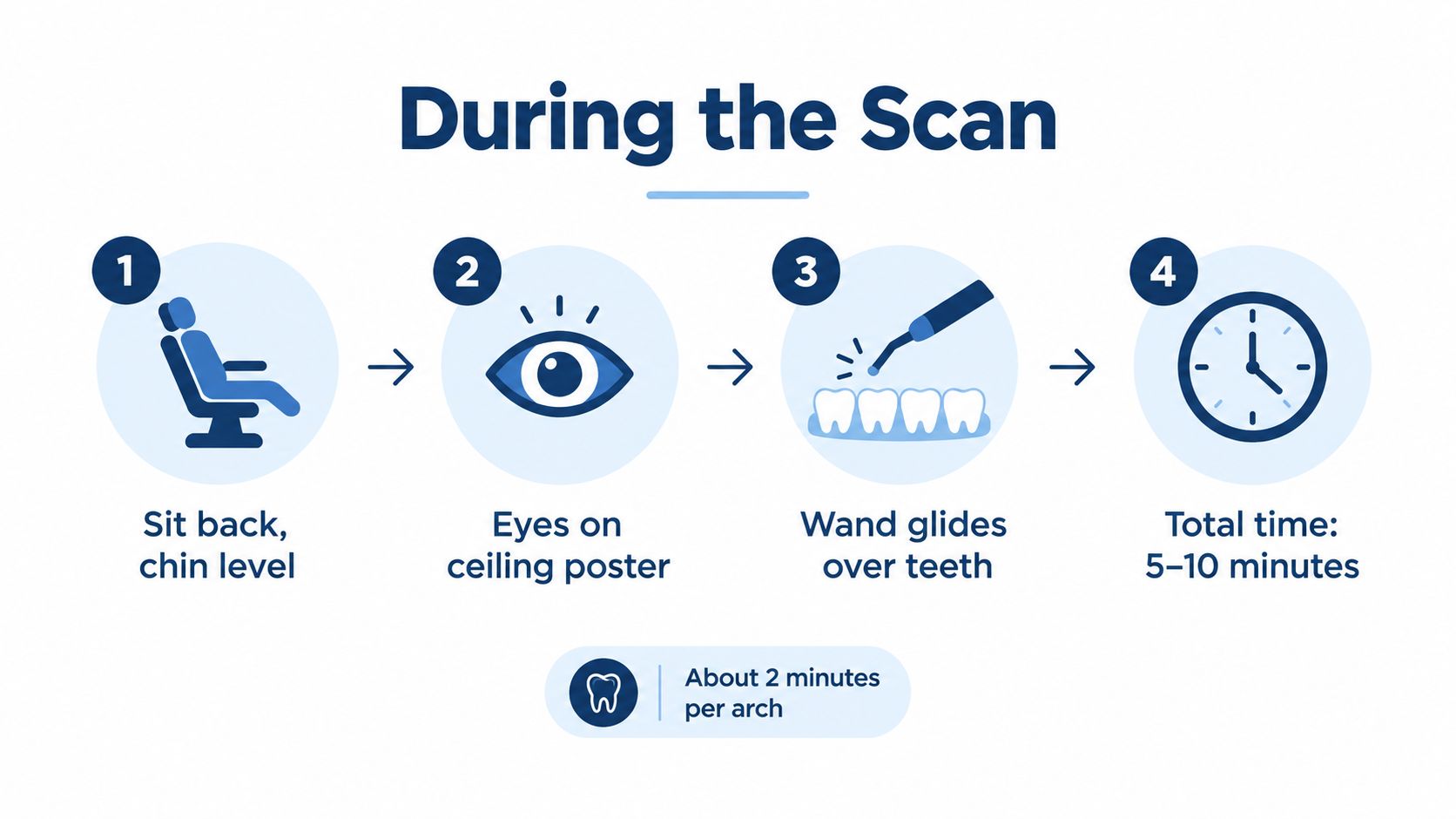
The scan starts with positioning, not technology. The child leans back slightly with the chin level, while the clinical team explains where to look and when to bite. Eyes directed toward a ceiling poster can reduce the temptation to follow the wand, and a relaxed jaw gives the clinician better access.
The wand typically begins on one area of the arch and follows the natural shape of the teeth. It moves over the occlusal, or biting, surfaces and then captures the sides while the cheek is gently held away. Training guidance recommends a stable seated posture, dry teeth, and starting on a terminal or first molar so the scanner can establish tracking. The suggested sequence includes the lower arch, upper arch, bite, lingual surfaces, buccal surfaces, and incisal edges. (Review the clinical scanning sequence)
For the bite registration, the child bites lightly on the back teeth while the wand captures the relationship between the upper and lower arches. The team may ask for several short bites rather than one prolonged hold. Parents can help by repeating one instruction at a time, such as “teeth together, chin still.”
What the child may hear and feel
The scanner can make a quiet hum with a clicking, stop-start rhythm as the clinician captures different areas. The wand may touch the teeth, but it shouldn't be pressed hard against the gums. A gentle cheek retraction can feel unusual without being painful, so a child should be encouraged to signal if the position becomes tiring.
Clinical training materials emphasize controlled movement and returning to an occlusal surface if tracking is lost. They also recommend a wave-like motion that captures three to four teeth at a time during bite scanning and holding the wand underhand like a pencil. (See the iTero digital training guidance)
A practical estimate is two to three minutes per arch, followed by about one minute for the bite, for a total of five to seven minutes for most children and up to ten minutes for an anxious patient. The exact time depends on movement, moisture, anatomy, and how many areas need verification. When the model appears on the screen, the child gets an immediate visual reward for holding steady.
Helping kids and teens cooperate in the chair
An anxious eight-year-old may grip the chair arm before the wand is even uncovered. The most useful response isn't “don't be scared.” It's naming the feeling, explaining the next small step, and giving the child control over a pause.
Match the approach to the child
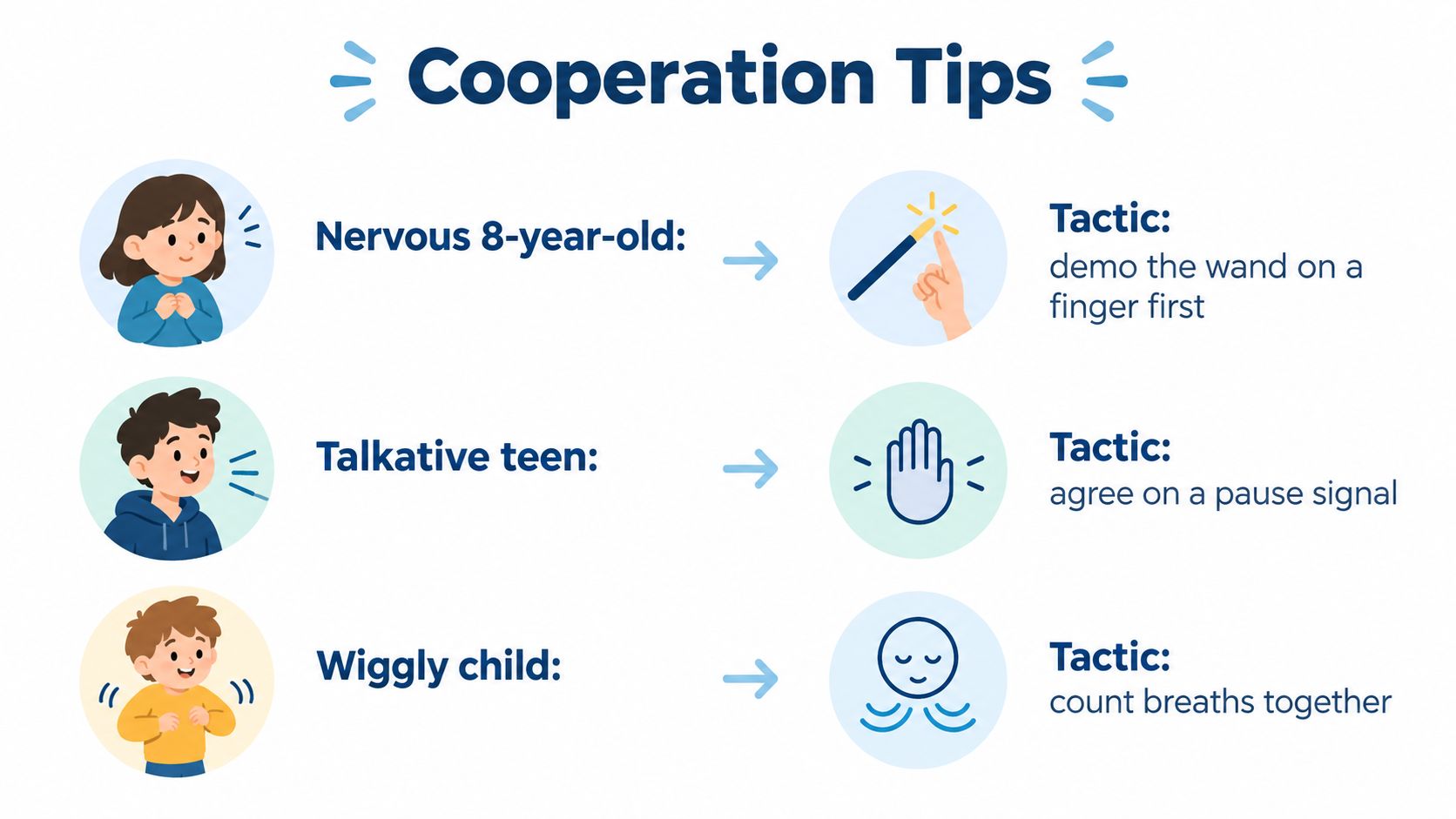
For a nervous eight-year-old, the clinician can demonstrate the wand on a parent's finger before bringing it near the mouth. A countdown on the ceiling screen gives the child an endpoint, while a stuffed animal or other comfort item provides something to squeeze. Curiosity often replaces fear once the child sees that the wand is just a cool device moving near the teeth.
A gag-prone thirteen-year-old may benefit from breathing through the nose, leaning slightly forward, and using a prearranged pause signal. The family can ask whether the lower arch can be scanned first if the upper palate tends to trigger the reflex. That approach doesn't suit every mouth, but it gives the clinician useful information before the most sensitive area is attempted.
A wiggly six-year-old usually does better with short scanning bursts and planned wiggle breaks. Choosing a familiar show on the chair-side screen can occupy the eyes, while a comfort item can be held between arches. The adult should avoid giving several instructions at once. “Breathe through your nose” and “hold your chin still” work better as separate prompts.
Parents exploring care for younger children can also review orthodontics for kids at Stellar Orthodontics.
Give the child a clear voice
The universal tip is simple: name the feeling before the scan starts. “The wand looks big, and the clicking may sound strange” acknowledges what the child sees and hears without predicting trouble.
A pause signal also helps talkative teens and children who don't want to raise a hand with their mouth open. The clinician can stop, let the child swallow, and restart from a stable tooth surface. Cooperation doesn't mean perfect stillness. It means the team and child can communicate well enough to complete the scan safely and calmly.
Common scan issues and how to troubleshoot them
Parents may notice the model pause, look incomplete, or change shape on the chair-side screen. That doesn't automatically mean something went wrong. Digital scanning is a guided capture process, and the clinician can correct many small issues while the patient is still in the chair.
Saliva pooling
Moisture can obscure a tooth and make the wand lose a clear view. A suction pause, a quick swallow, or a short rest between arches often gives the clinician a drier surface. Parents can gently prompt, “swallow when you're ready,” rather than asking the child to keep holding an uncomfortable position.
Dry teeth are a recurring part of reliable scanning guidance because saliva can block the field of view. The operator may use suction or cheek retraction, while the child helps by keeping the tongue relaxed and following the breathing instruction. (Read guidance on moisture and scanning conditions)
Tracking loss
A visible shutter-like interruption can happen when the wand moves too quickly, travels too far from the teeth, or loses enough surface detail to know where it is. The standard recovery is to return to an occlusal surface and pick up the model again. Parents can ask the clinician to slow down around the molars, especially if the child is moving or the cheek is blocking access.
Incomplete edges
The gumline and distal surfaces matter because the digital model needs a complete outline of the teeth. A gently stretched cheek can expose the edge without force. In mixed dentition, the most distal molar is an area that deserves explicit verification, since incomplete capture there can affect the completeness of the arch. (Review evidence on full-arch scanning accuracy and common pitfalls)
Bite mismatch
A rushed bite registration can appear as a gap or an implausible relationship between the upper and lower models. Redoing the bite immediately is usually more efficient than discovering later that the registration needs correction. The child should bite lightly and consistently, without sliding the jaw forward or clenching.
Comfort choices that protect scan quality
Comfort and scan quality aren't separate goals. A child who breathes steadily, keeps the chin still, and can signal for a pause is easier to scan than a child who is bracing, swallowing repeatedly, or trying to escape an uncomfortable position.
A few choices can support both experiences:
| Comfort choice | Effect on scan quality |
|---|---|
| Thin lip balm applied earlier in the day | Helps reduce dry, tight lips during cheek positioning |
| Water before scanning | Supports a comfortable mouth and makes swallowing pauses easier |
| Small bite block or rolled gauze | Can help a younger child keep the jaw in a consistent position when the clinician recommends it |
| Familiar show, music, or audiobook | Gives the child a steady focus and can support calm nasal breathing |
| Sunglasses for light-sensitive children | May reduce squinting and facial tension during capture |
| Clinician-approved topical spray for a gag-prone patient | May improve tolerance when the clinical team decides it's appropriate |
Not every option is needed for every child. A bite block may be helpful for one patient and distracting for another. Topical products should never be introduced independently by a parent, and the clinician should decide whether a spray is suitable for the child and the planned scan.
A “good enough” scan has complete tooth surfaces, clear edges, a verified terminal tooth, and a bite registration that matches how the patient closes. Small gaps or extra soft tissue may be corrected during the same visit. A rescan is normal when moisture, movement, or tracking interrupts capture. A persistent mismatch, missing posterior area, or unclear gumline deserves another look before the patient leaves.
Full-arch performance varies with the case and operator. One clinical study reported that average scanning time, including bite registration, decreased from 16.7 minutes in the first 40 patients to 9.5 minutes in the last 20 cases, a 43% reduction as experience accumulated. (Read the clinical learning-curve study) That finding supports a practical conclusion for families: a short pause to improve positioning is often more useful than rushing to finish.
Putting it all together for a stress-free visit
Three habits carry the most weight. The child should arrive with a clean mouth, practice steady breathing and a still chin, and tell the team about moisture, sensitivity, or gag concerns before the wand starts.
Parents don't need to coach every movement. Their role is to help the child understand what comes next, keep the tone calm, and speak up when a position becomes difficult. The clinical team handles the scan path, moisture control, tracking recovery, and bite verification.
For most children, the scan is a five-to-seven-minute visual appointment rather than a messy impression experience. It produces a digital record that can support the treatment discussion, whether the family is considering braces or Invisalign. Research on digital impressions has found generally better comfort, gag-reflex, and breathing scores than conventional impressions, while pediatric research also identifies smaller scanner heads, quieter operation, and larger screens as meaningful comfort considerations. (Review evidence on patient comfort with digital impressions)
At Stellar Orthodontics, families can book a free consultation at the Delaware office closest to home, school, or work: North Wilmington, Middletown, Dover/West Dover, or Millsboro. A prepared child often leaves thinking the same thing the team hears so often after a scan: that was easier than expected.
Stellar Orthodontics offers free consultations with iTero digital 3D scanning for children, teens, and adults considering braces or Invisalign. Families can visit Stellar Orthodontics to choose a convenient Delaware location and schedule a calm, supportive first step.